
Seo Friendly WordPress Website Development That Actually Ranks
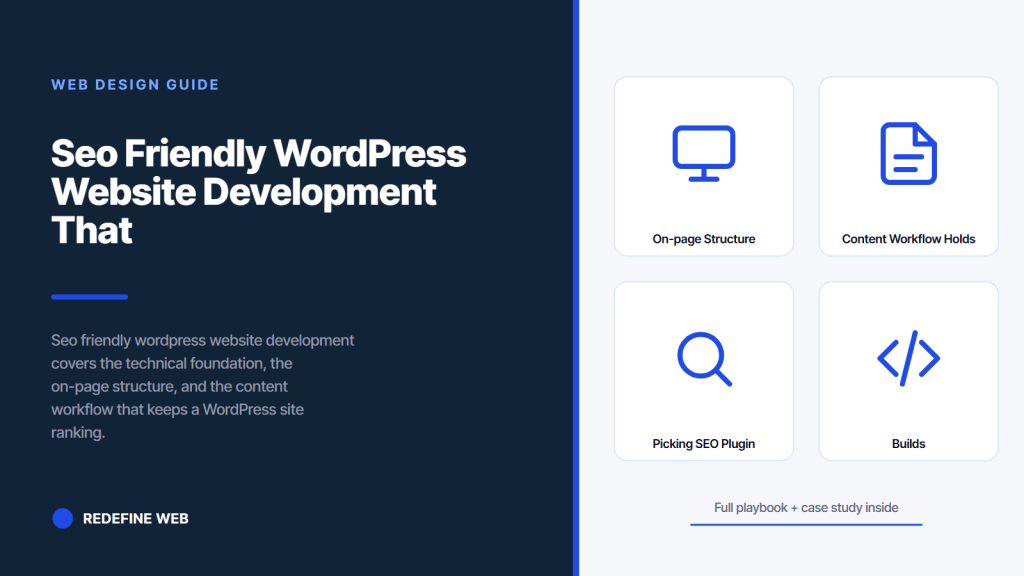
- Theme decisions carry 70 percent of the SEO weight.
- Server-render HTML, schema, and metadata on every page.
- Core Web Vitals under LCP 2.5s, CLS 0.1, INP 200 ms.
- Pick one plugin per layer, not twelve fighting each other.
- Hire developers who read Search Central before any theme.
- On-Page Structure That Keeps Posts Ranking
- Content Workflow That Holds Rankings for Two Years
- Picking the SEO Plugin Stack for WordPress
- Hire WordPress Developer for Seo Friendly Website Builds
- A CMS-Led SEO Rebuild in Practice, JIDA Wythe County
- Mistakes That Quietly Tank WordPress SEO
- SEO Testing During WordPress Development
- SEO and WordPress Website Development Working as One Discipline
Seo friendly wordpress website development is not a plugin you buy at the end. It’s the way the site is built from the first template file. Server-rendered HTML that Googlebot can read on the first pass. Clean URLs. Schema in the head. Images that load in the visible viewport and lazy-load the rest. A theme that doesn’t wrap every heading in a nested div. Get those decisions right during the build and the site earns rankings the day it goes live.
This piece covers what seo friendly wordpress website development actually includes, the technical checklist you run before launch, the on-page structure that keeps posts ranking, the plugin stack you install once and leave alone, the content workflow that keeps posts fresh past year one, the mistakes that quietly tank rankings, and how to hire a wordpress developer for seo friendly website builds who understands both engineering and search intent. Read straight through in roughly twelve minutes, or skim the headings and jump to whichever section your team needs right now.
On-Page Structure That Keeps Posts Ranking
On-page structure decides whether a post that earns rankings holds them for two years or slips out of the top 10 in six months. The pattern is boring on purpose. Title, meta, H1, intro that answers the query in the first 100 words, H2 sections with keyword variants, internal links to related posts, external links to reputable sources, images with keyword-rich alt text, and a closing CTA that matches the search intent. Boring, consistent, ranks.
Title and H1 pattern
Title tag holds the focus keyword at the start, follows with a benefit or year, and stays under 60 characters. H1 matches the search intent, often as a close variant of the title. One H1 per page. No colons. No stuffing. Match user intent first, keyword placement second. A title that reads well earns click-through, which reinforces the ranking. A title that stuffs the keyword ranks briefly and drops when CTR data comes in.
Intro that answers the query fast
The first 100 words answer the query directly. If a searcher types “seo friendly wordpress website development,” the intro says what it means and what the reader will get. No windup. No throat-clearing. Answer-first structure is the pattern AI Overviews and featured snippets extract from. Sites that lead with a direct answer get extraction credit and win the position-zero slot before Google decides to rewrite the SERP.
H2 sections aligned with related queries
Every H2 covers a related query or subtopic. Plan H2s from the People Also Ask box and related searches at the bottom of the SERP. Not from your outline. From the search results Google already surfaces. When you cover the queries Google associates with your topic, you rank for the head keyword and 20 to 40 long-tail variants at the same time.
Content Workflow That Holds Rankings for Two Years
Content writing plus technical SEO WordPress website development services keep rankings alive past the launch honeymoon. New content publishes on a steady cadence. Older content gets refreshed on a schedule. Broken links get fixed. Internal links get added as new posts publish. This is the workflow that separates sites that peak at month six from sites that keep climbing at year two.
Publishing cadence that matches your niche
Publishing cadence depends on niche competition. A dental practice publishing 2 posts per month outranks a chain publishing 10 low-quality posts. A SaaS company in a competitive niche needs 8 to 12 quality posts per month to stay in the mix. Match the cadence to the niche, not to a generic “one post per week” template. Better fewer, deeper posts than a firehose of thin content.
Content refresh cycle
Every post that ranks in the top 20 for a valuable keyword gets a refresh every 6 to 12 months. Update stats. Add new sections that match new People Also Ask queries. Refresh internal links to newer posts. Update the year in the title and meta description. Refreshed posts often jump 3 to 8 positions within 2 to 4 weeks because Google reads the update as a freshness signal.
Internal link maintenance
Every new post links to 4 to 6 older posts on the same topic cluster. Every quarter, run a report of orphan posts (posts with fewer than 2 internal links pointing to them) and add links from newer posts. A well-linked topic cluster ranks the whole cluster because Google reads internal linking as a topical authority signal. Sites with strong internal linking outrank sites with equivalent content but weaker link structures.
Picking the SEO Plugin Stack for WordPress
The SEO plugin stack has three layers: on-page SEO, performance, and analytics. Each layer picks one plugin. Piling on more plugins slows the site down and creates conflicts. Three plugins done right beats twelve plugins fighting each other.
| Layer | Default pick | Alternate | What it does |
|---|---|---|---|
| On-page SEO | RankMath Free | Yoast, SEOPress | Title, meta, schema, sitemaps, redirects |
| Performance | WP Rocket | LiteSpeed Cache, Nitropack | Page caching, minification, lazy-load |
| Image handling | ShortPixel | Imagify, Smush | WebP conversion, compression, CDN |
| Analytics | MonsterInsights | Site Kit by Google | GA4 integration, Search Console data in admin |
| Broken links | Broken Link Checker | Ahrefs Webmaster Tools | Finds 404s in content and comments |
| Security | Wordfence | Sucuri, iThemes Security | Firewall, malware scan, brute-force protection |
RankMath vs Yoast
RankMath Free covers more features than Yoast Free (multiple focus keywords, schema options, redirect manager, 404 monitor). Yoast has a longer track record and a bigger user base, which matters for compatibility. Both do the job. Pick RankMath for cost, Yoast for stability. Once you pick one, do not switch mid-project. Migrating focus keywords, redirects, and schema between plugins burns two days per developer.
Caching and performance stack
WP Rocket handles page caching, minification, lazy loading, and database cleanup with one plugin. LiteSpeed Cache is the alternate on LiteSpeed servers (Kinsta, WP Engine, Cloudways). Nitropack is more aggressive and can push mediocre sites into the 90s on PageSpeed but sometimes breaks JavaScript. Test any caching plugin against real user behavior, not just the PageSpeed score.
Image optimization matters more than most think
Images are 50 to 70 percent of a typical WordPress page’s weight. ShortPixel, Imagify, or Smush convert to WebP, compress aggressively, and serve resized versions per viewport. A hero image drops from 800 KB to 60 KB with no visible quality loss. Multiply that across every image on a content-heavy site and page weight drops by 60 to 80 percent. LCP and Core Web Vitals improve automatically.
Right-click your homepage, view source, search for h1 text. If you see it in raw HTML, you're server-rendered. If not, no plugin fixes what your theme breaks.
Hire WordPress Developer for Seo Friendly Website Builds
When you hire wordpress developer for seo friendly website work, the first mistake is treating SEO as a separate specialty from development. It is not. The developer writing the theme decides whether canonical URLs render server-side, whether schema markup includes the right properties, whether pagination uses rel=”next” and rel=”prev” correctly, whether hreflang works across languages, and whether images have proper alt attributes. A developer who does not know SEO writes a theme that needs a specialist to patch six months later.
Questions that filter for real SEO knowledge
Ask five questions during the interview or agency vetting call.
- How do you handle canonical URLs on paginated archive pages? Correct answer names rel canonical to the first archive page or the un-paginated version, and rel next/prev on pagination.
- How do you render structured data schema for Article, Product, or LocalBusiness? Answer should name a specific approach (JSON-LD in wp_head, RankMath, custom generator) and describe what fields get validated.
- How do you handle image optimization end to end? Answer should cover format conversion (WebP or AVIF), responsive srcset, lazy loading, and CDN delivery.
- How do you set up hreflang for multi-language content? Answer should describe hreflang tags in the head, per-URL mapping, and x-default handling.
- How do you test Core Web Vitals during development, not after launch? Answer should name a specific workflow (Lighthouse CI, PageSpeed Insights API, WebPageTest) and describe the pass criteria.
Best wordpress developers seo-friendly websites hire on repeat
The best wordpress developers seo-friendly websites hire share three habits. They read the Search Central documentation before they read any theme. They test in Search Console during the build, not after launch. They can name at least three schema types by memory and know how to validate them in the Rich Results Test. If your candidate needs to Google the difference between rel canonical and rel alternate, keep looking.
What a WordPress website development and search engine optimisation SEO specialist actually does
A WordPress website development and search engine optimisation SEO specialist writes theme code that satisfies both engineering and SEO requirements at the same time. They will push back on design decisions that hurt Core Web Vitals (auto-playing hero videos, third-party widgets in the fold). They will push back on content decisions that hurt intent match (H1s written for cleverness instead of clarity). They will push back on plugin sprawl. Their job is the site that ranks, and they treat every requirement through that lens.
A CMS-Led SEO Rebuild in Practice, JIDA Wythe County
Joint Industrial Development Authority of Wythe County ran a public-sector site on an outdated multi-CMS setup. Slow page speed. Bad mobile UX. A content team that could not update anything without an outside developer. The rebuild replaced the mess with a modern WordPress build tuned for both editor autonomy and search performance. Numbers moved on both sides.
What the rebuild changed
A purpose-built lightweight theme replaced the old mixed-CMS structure. Every template rendered SEO metadata server-side. Schema markup covered Organization, LocalBusiness, and Article types. Image compression pushed every asset under 100 KB. Caching plus a CDN handled global page delivery. The content team took over updates without support tickets.
Performance and engagement results
PageSpeed score hit 100 on desktop and 80+ on mobile. Session length tripled because navigation and design made content easier to find. CMS autonomy hit 100 percent, meaning zero external developer time for content changes. The site kept ranking for its target queries because the rebuild put SEO signals into every page automatically. The full case study lives in our case library.
What the JIDA rebuild taught us
The lesson: seo friendly wordpress website development is not a technical checklist plus a content plan. It’s a system where the theme, the plugins, the content workflow, and the hosting all reinforce each other. Pull any one of those out and rankings slip. Keep all four aligned and rankings compound for years.
Mistakes That Quietly Tank WordPress SEO
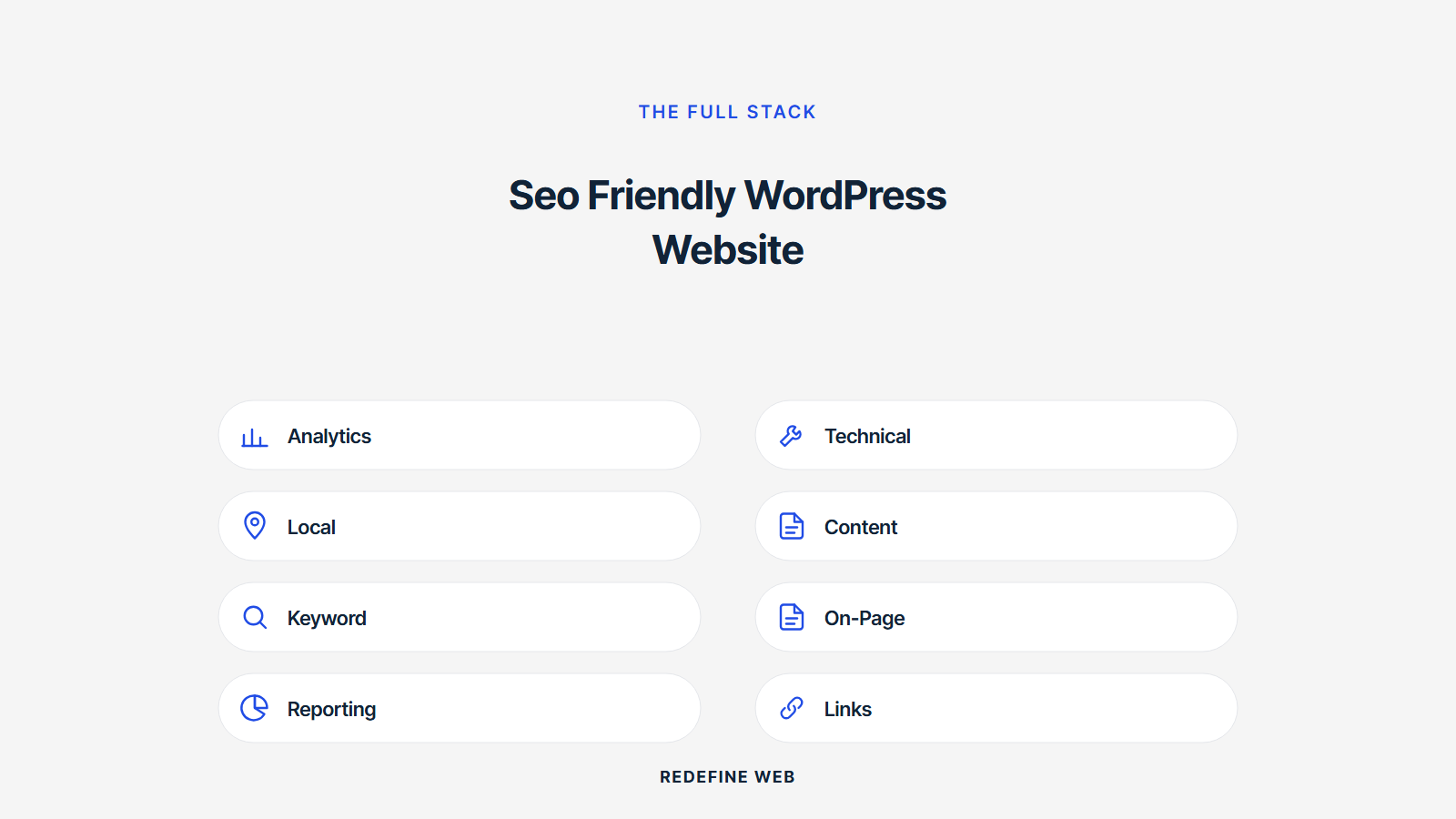
Most SEO problems on WordPress sites come from four mistakes we see every quarter. Page builder bloat. Plugin conflicts. Broken redirect chains from a migration nobody documented. Unoptimized images from a content team that never got the WebP conversion memo. Each one is boring to fix and painful to ignore.
Page builder markup bloat
Elementor, Divi, and Beaver Builder produce 30 to 60 nested divs per section. That HTML weight hurts LCP, confuses screen readers, and dilutes the semantic signals Google uses to understand the page. If you must use a page builder, use it sparingly. Reserve it for pages that need visual layouts the theme cannot handle. Use plain Gutenberg for content-heavy pages where clean HTML wins.
Plugin conflicts and update rot
Every plugin adds JavaScript, CSS, and database calls. Twelve plugins are usually fine. Thirty plugins slow the site to a crawl and stack up conflicts. Audit plugins every quarter. Remove any that duplicate features or that have not seen a WordPress compatibility update in six months. The site gets faster and the security surface shrinks.
Broken redirect chains after migration
Site migrations leave redirect chains. Old URL A redirects to B, which redirects to C, which redirects to D. Each hop loses some link equity. Google eventually gives up on chains longer than five hops. Run Screaming Frog after every migration. Flatten every chain to a single 301. Rankings on migrated pages recover 15 to 30 percent inside 60 days once the chains flatten.
Images that never got the WebP memo
Content teams upload JPGs and PNGs at whatever size the camera or stock site provided. A hero image lands as a 3 MB file. The page weight balloons. LCP tanks. Set up automatic WebP conversion at upload through ShortPixel or Imagify. Every image gets compressed the moment it enters the media library. The joke around the office is that a content team without automatic WebP is a page-weight buffet with unlimited seconds.
SEO Testing During WordPress Development
SEO testing during development catches problems before launch when fixes cost hours instead of weeks. Run Lighthouse in Chrome DevTools on every major template. Run PageSpeed Insights on the staging URL. Run Rich Results Test on schema markup. Run mobile-friendly test on responsive breakpoints. Fifteen minutes per template, done during development, saves days of post-launch rework.
Lighthouse and PageSpeed Insights
Run Lighthouse on the homepage, a category page, a product or service page, a blog post template, and a contact page. Target scores of 90+ on mobile for Performance, Accessibility, Best Practices, and SEO. PageSpeed Insights adds real-user Core Web Vitals data once traffic starts. If Lighthouse passes and PageSpeed shows different numbers, something in the theme, plugins, or third-party scripts is slowing real users down.
Rich Results and Schema Markup Validator
Rich Results Test validates that schema markup will trigger rich snippet eligibility. Schema Markup Validator (from schema.org) catches syntax errors the Rich Results Test does not surface. Run both on every page type. A missing property in Article schema won’t stop rendering, but it will disqualify the page from rich results in Search Console.
Search Console pre-launch setup
Set up Search Console before launch, verify the property, and submit the XML sitemap on day zero. Configure email alerts for coverage errors and Core Web Vitals regressions. Search Console will start reporting data within 48 hours of launch, and catching a robots.txt block or a canonical error in day one is 100 times faster than catching it in week six after traffic drops.
SEO and WordPress Website Development Working as One Discipline
SEO and WordPress website development work best when they’re one discipline, not two. The developer thinks about search intent while writing the template. The content team thinks about page weight while drafting the post. The designer thinks about Core Web Vitals while picking imagery. When those disciplines merge into one team, the site ranks. When they stay siloed, the site launches, ranks briefly on brand queries, then quietly drifts down the SERP.
The handoff from developer to content team
Developers hand off a theme with block patterns for the content team. Each block pattern has a purpose, a keyword field, an image placeholder, and internal linking guidance baked in. The content team fills the blocks. The developer doesn’t touch content. The content team doesn’t touch code. Both teams update the internal linking map after every new post publishes.
Ongoing SEO retainer scope
Post-launch SEO retainer includes monthly technical audits, quarterly content refresh cycles, internal linking sweeps, schema updates, and Core Web Vitals monitoring. Retainer plans start at $599 a month for small business sites. Mid-market SEO retainers run $2,500 to $8,000 a month depending on content volume, competitive intensity, and reporting depth.
Related reading and where to go from here
To go deeper on the classic WordPress build path, see custom WordPress website development, how to develop a WordPress website, and WordPress website development cost. For decoupled builds, read headless WordPress website development. For ecommerce specifically, see WordPress ecommerce website development. When you want to work together, our WordPress website development services cover the full stack including SEO. External references worth reading: Google Search Central SEO starter guide, web.dev on Core Web Vitals, and Moz beginner’s guide to SEO.
Frequently asked questions
What is SEO-friendly WordPress website development?
SEO-friendly WordPress website development is a build approach where every technical decision (theme code, HTML semantics, URL structure, schema markup, image handling, page speed) supports search engine ranking from day one. It's not a plugin added at the end. The theme renders server-side HTML that Googlebot reads in one pass. Canonical URLs, meta tags, and structured data appear in the initial page source. Images compress to WebP with lazy loading. Core Web Vitals pass on mobile. Internal linking follows a topic-cluster pattern. Content publishes on a cadence with periodic refreshes. When development, content, and SEO work as one discipline instead of three separate teams, the site earns rankings the day it launches and keeps them for years.
Which SEO plugin should I use on WordPress?
RankMath and Yoast are the two main choices for on-page SEO. RankMath Free offers more features than Yoast Free, including multiple focus keywords per post, more schema options, a redirect manager, and a 404 monitor. Yoast has been around longer and has a bigger user base, which matters for plugin compatibility and community support. Both handle title and meta editing, sitemap generation, and schema markup for individual posts. Pick RankMath if you want the free feature set. Pick Yoast for stability and ecosystem depth. Do not switch plugins mid-project because migrating focus keywords, redirects, and schema between them costs two developer-days per site. Both plugins pair well with WP Rocket for caching and ShortPixel for image optimization.
How do I make my WordPress site load faster for SEO?
Focus on three areas: images, caching, and JavaScript. Convert images to WebP through ShortPixel, Imagify, or Smush at upload. Add lazy loading below the fold. Install a caching plugin like WP Rocket or LiteSpeed Cache for page caching, minification, and CDN integration. Remove or defer JavaScript that blocks the first render, especially third-party widgets, analytics scripts, and social sharing buttons. Move analytics to Google Tag Manager and defer the container. Audit plugins and remove any that duplicate features. Move to a fast host like Kinsta or WP Engine. Test Core Web Vitals on mobile with PageSpeed Insights. Target LCP under 2.5 seconds, CLS under 0.1, INP under 200 milliseconds. A clean WordPress site can hit those numbers with the right stack.
Should I hire a WordPress developer for an SEO-friendly website?
Yes, if the site is your primary source of leads or revenue. A generalist WordPress developer can build a functional site, but only a developer who knows SEO writes a theme that ranks. Look for someone who can explain canonical URL logic on paginated archives, structured data schema for the right entity types, hreflang for multi-language content, image responsive srcset patterns, and Core Web Vitals testing in Lighthouse or WebPageTest. Ask them to name three schema types they've validated in the Rich Results Test. Ask how they render meta tags server-side. Ask what their post-launch monitoring workflow looks like in Search Console. A developer who fumbles those questions will hand you a site that needs an SEO specialist to patch six months later. A developer who answers cleanly hands you a site that earns rankings on day one.
What is technical SEO for WordPress?
Technical SEO for WordPress covers everything a developer builds into the site that affects search ranking. Server-rendered HTML on every page. Clean URL structure. Canonical URLs declared server-side. Schema markup for Article, Product, LocalBusiness, and Organization types. XML sitemap generation and submission to Search Console. Robots.txt configuration. Image optimization with WebP conversion and responsive srcset. Core Web Vitals passing on mobile. Redirect maps flattened to single 301s with no chains. SSL certificate valid with no mixed-content warnings. Hreflang tags for multi-language sites. Pagination with rel next and rel prev. Content writing plus technical SEO WordPress website development services combine those technical fundamentals with editorial content that targets real search intent.
How long does it take for a new WordPress site to rank?
A new WordPress site with strong SEO fundamentals starts ranking for brand queries and long-tail keywords within 2 to 4 weeks of launch. Ranking for competitive head keywords takes 6 to 18 months depending on domain authority, content depth, competitor strength, and internal linking maturity. Sites that launch with 20 to 40 well-optimized posts targeting real queries rank faster than sites that launch with a homepage and a contact page. Publishing on a steady cadence, refreshing older content every 6 to 12 months, and building internal links across the topic cluster compound rankings over time. Sites that publish once and stop drift down the SERP within a year. Sites that maintain a content workflow keep climbing at year two and beyond.
What are the best WordPress developers for SEO-friendly websites?
The best WordPress developers for SEO-friendly websites share three habits. They read the Google Search Central documentation before they read any WordPress theme file. They test in Search Console and Lighthouse during development, not after launch. They can name at least three schema types by memory (Article, LocalBusiness, Product, FAQPage, Organization) and know how to validate them in the Rich Results Test. Look for portfolios with real ranking improvements, not just design screenshots. Ask for case studies with before-and-after Core Web Vitals data and organic traffic growth over 12 months. Verify that references saw ranking gains, not just prettier sites. The right developer treats every technical decision through the lens of whether Googlebot can read the page correctly and whether real users experience it as fast.
Book your free 30-minute strategy call.
No spam, no sales rep. We use your email to schedule your call with a senior strategist. That is it.
More from the blog
View all articles → Web Design
 Core Web Vitals Healthcare Websites Actually Need to Book Patients
Read article Web Design
 Professional Services Website Design Best Practices for 2026
Read article Web Design