
Dental review generation is the systematic habit of asking every patient for a Google Business Profile review after their visit, using SMS-first automation, a 45-minute to 3-hour timing window, and a one-click front-desk trigger. Done right, it pulls 8 to 20 new 5-star Google reviews per office per month with a workflow the front desk barely notices. Done wrong, it produces two reviews a quarter, a pile of policy violations, and a Google Business Profile suspension notice.
This guide covers the SMS and email templates that actually pull 5-star reviews, the timing rules that push response rates from 4 to 30 percent, the front-desk workflow that makes review requests for dentists automatic, and the HIPAA-safe automation stack behind it. Every example comes from real dental client work, and the numbers pull from Google Business Profile dashboards, not vanity claims. You will finish this guide knowing how to earn more dental reviews on autopilot, plus copy-paste dental review sms and dental review email templates the front desk can run today.
Why dental review generation moves rankings and bookings
Dental practice reviews matter for one reason. The Google local trust layer weighs count, recency, and rating on every map pack query. A practice with 200-plus recent reviews outranks a practice with 40 stale reviews on identical relevance signals. That single fact prints new patients.
New-patient searchers scan the map pack for two seconds. They pick the practice with the most reviews at a solid rating. A 4.9 with 340 reviews beats a 5.0 with 12 reviews every time. Volume signals trust. Reviews feed the schema.org aggregate rating on the practice website, which drives rich results in organic search. Google’s official review snippet documentation is explicit about how rating stars pull from AggregateRating markup on the LocalBusiness schema.
The three business impacts of steady dental practice reviews
- Map pack ranking climbs as review count and recency rise, adding organic new-patient calls with zero ad spend.
- Rich results in organic search show rating stars, doubling click-through rate on service-page listings.
- Ad landing pages with fresh review counts convert 15 to 30 percent higher than pages with stale review counts.
Every one of these compounds. A practice adding 15 reviews per month for 12 months has 180 more reviews than a practice running review generation ad hoc. The gap between the two accounts in map pack visibility is measurable inside 90 days and dramatic inside a year. Practices that treat review generation as a one-off project fall behind practices that treat it as a monthly habit.
How to earn more dental reviews with a workflow front desks will keep
Earning more dental reviews comes down to timing, channel, and the front-desk trigger. Send the request 45 minutes to 3 hours after the visit. Lead with SMS and use email as backup. Have the front desk fire the trigger before the patient leaves. Nail these three and response rates climb sharply.
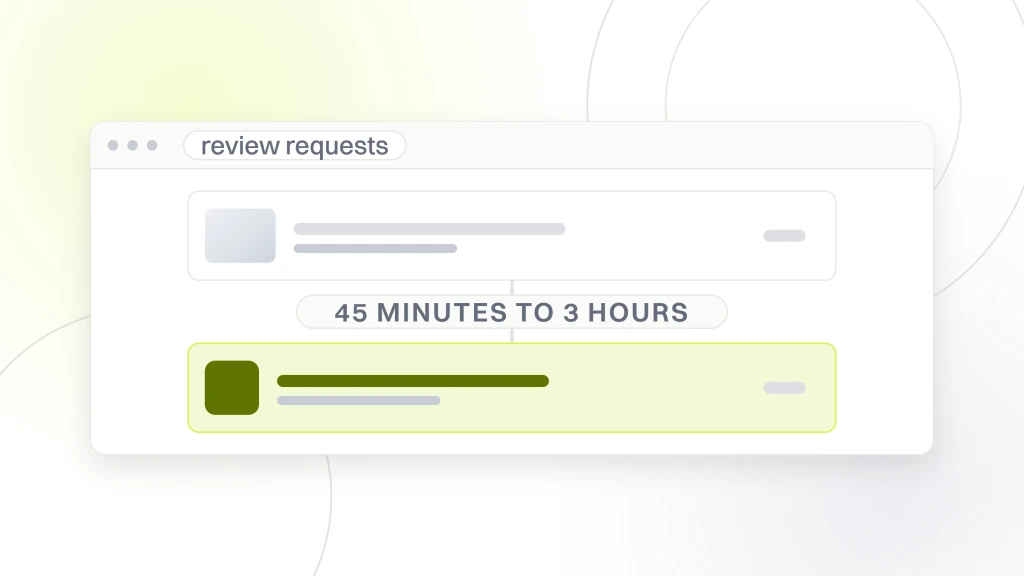
Timing matters. The patient’s positive impression peaks in the hour after they leave the chair. Send the request at 8 p.m. that night and half the good feeling has already faded. Send it 30 seconds after the patient walks out and they have not made it to the parking lot yet. The 45-minute to 3-hour window is when the patient is home, showing the numbing wearing off to their spouse, and ready to say something nice. Automation runs the timer once the front desk clicks the button.
The one-click trigger that keeps the front desk moving
The front desk clicks one button in the practice management system (Dentrix, Open Dental, Eaglesoft, Weave) to mark the appointment complete. That click fires a webhook to the review automation platform. The platform waits the configured delay and sends the SMS. No extra data entry, no separate app, no forgotten follow-up. If the front desk cannot fire the trigger in one click, review requests for dentists will not run consistently. Fix the one-click workflow first. Every other tuning move fails without it.
Why SMS beats email 3 to 1 for dental review requests
SMS response rate on dental review requests runs 25 to 40 percent. Email response rate runs 5 to 12 percent. The gap is not close. The reason is friction. SMS opens on the lock screen, contains a single click-to-review link, and closes the loop in 30 seconds. Email opens on a device the patient has to log into, competes with 40 other unread messages, and often lands in Promotions or spam. Every review generation stack in 2026 leads with SMS. Email is the fallback for patients who opted out of SMS. If your platform is email-first, switch platforms.
HIPAA compliance for dental review requests and the messaging layer
Dental review requests touch protected health information. The message identifies a patient by name and links their identity to a specific practice. That combination is PHI. HIPAA rules apply. Practices sending review requests through platforms without a Business Associate Agreement are one audit away from a penalty. Sign the BAA on day one. Every reputable messaging platform offers it on a paid tier.
BAA-supporting platforms as of 2026
- Weave. BAA included on paid dental plans, HIPAA-secure texting native.
- Podium. BAA available on Professional and Enterprise, HIPAA add-on on Growth.
- Birdeye. BAA available on Growth tier and up, requires explicit opt-in.
- Solutionreach. BAA included on all healthcare plans.
- CallRail. BAA available on Elite tier, primarily a call platform but supports SMS.
Consent and opt-out mechanics
Every SMS review request must carry a Reply STOP opt-out. TCPA rules apply on top of HIPAA. Consent must be documented at intake through the paperless form or a phone-consent script the front desk reads. A single sentence naming SMS review requests as a possible follow-up, with an easy opt-out, satisfies both TCPA and the HIPAA marketing-communications carve-out for treatment-adjacent messages. Skip consent documentation and the risk-per-message math stops working in your favor.
Automation stack comparison for dental review generation platforms
The right automation platform for dental review generation depends on practice size, existing PMS integration, and how much workflow the front desk can absorb. Weave dominates single-office practices. Podium dominates multi-office groups. Birdeye and Solutionreach round out the field. The table below compares the four across the metrics that matter for dental review generation.
The four-platform decision table
| Platform | Starting price | Native PMS integrations | Best for | Setup time |
|---|---|---|---|---|
| Weave | $400 to $600/mo per office | Dentrix, Open Dental, Eaglesoft, Curve | Single-office and small groups | 3 to 5 days |
| Podium | $300 to $600/mo | Most PMS via Zapier plus native connectors | Multi-office groups (10+) | 1 to 2 weeks |
| Birdeye | $300 to $500/mo | Selected native connectors, Zapier for the rest | Practices with strong SEO focus | 1 week |
| Solutionreach | $300 to $500/mo | Deep healthcare-only integrations | Practices wanting an all-in-one patient comms tool | 2 to 4 weeks |
Reading the table
Solo practices with Dentrix or Open Dental should default to Weave for the deep integration and phone-plus-text layer. Multi-office groups over 10 offices land on Podium, where reporting scales cleanly. Birdeye earns its keep when reviews get treated as an SEO input. Solutionreach fits practices where reviews ride on top of a broader patient communications stack. Under $200 per month is a red flag. Cheap tiers cut corners on HIPAA and miss the deep PMS hooks that make one-click triggers work.
Dental review sms templates the front desk can run today
Dental review sms templates work when they read like a text from a coworker, not a marketing blast. Three levers move response rate. Use the patient’s first name. Sign it with a named front-desk staff member. Promise the ask takes 30 seconds. The templates below have pulled 25 to 40 percent response rates across live dental client accounts.
Template 1. First-visit review request
Hi {{first_name}}, this is Jenna at {{practice_name}}. Thanks for coming in today. If you have 30 seconds, would you share a quick Google review? It helps other families find us. {{review_link}} Reply STOP to opt out.
Template 2. Returning patient
Hi {{first_name}}, Jenna from {{practice_name}} again. Great to see you today. A quick Google review means a lot to our team. Takes 30 seconds. {{review_link}} Reply STOP to opt out.
Template 3. Reply-and-recover safety net
Hi {{first_name}}, this is Dr. Patel at {{practice_name}}. Hope your visit went well. If you have a moment, a Google review helps us. If anything felt off today, reply here and I’ll follow up personally. {{review_link}} Reply STOP to opt out.
The reply-and-recover template is the compliance-safe substitute for review gating. Every patient gets the same review link. Unhappy patients see the reply option and route their frustration privately. Happy patients see the review link and post publicly. No survey, no filter, no policy violation.
Dental review email templates for patients who opt out of SMS
Dental review email templates pull 5 to 12 percent response, which is fine as a backup channel for patients who opted out of SMS. Email works best when the subject line is short, the ask is one sentence, and the review link appears above the fold on mobile. The three templates below cover first-visit, returning-patient, and post-treatment scenarios.
Email 1. Simple ask
Subject. Quick favor, {{first_name}}?
Body. Hi {{first_name}}. Thanks for visiting {{practice_name}} today. If you have 30 seconds, would you share a quick Google review? It helps other families find us and it means a lot to our team. {{review_link}} Thanks, Jenna at {{practice_name}}.
Email 2. Post-treatment follow-up
Subject. How is your smile feeling?
Body. Hi {{first_name}}. Hope your {{treatment_type}} is settling in well. If you have a minute, a quick Google review would help us reach more patients like you. {{review_link}} If anything feels off, reply here and we’ll follow up. Thanks, Dr. Patel and the {{practice_name}} team.
Email 3. 48-hour nudge
Subject. One quick ask, {{first_name}}
Body. Hi {{first_name}}. Circling back on my note from earlier. A quick Google review helps our small team more than you’d think. Takes 30 seconds. {{review_link}} Thanks, Jenna at {{practice_name}}.
Every dental review email template above is under 60 words. Longer emails on this ask underperform. Every patient can read the entire message on a phone lock screen without scrolling. Every review link is the first click target.
Review gating, Google policy, and the compliant substitute
Review gating is the practice of surveying patients first, then routing only 5-star responses to Google. Every review platform sold in 2026 offers it. Every one of them is out of policy. Google flags and sometimes suspends profiles that use gating. The proven substitute is the reply-and-recover template shown above. Every patient gets the same request, and unhappy patients route their feedback privately instead of publicly. This produces the same net rating without the profile suspension risk.
What Google’s policy actually says
Google’s review policy prohibits soliciting reviews from patients selectively based on expected sentiment. That is the exact mechanic gating uses. Practices caught gating see their Google Business Profile flagged, sometimes suspended, and always demoted in the map pack until the review pattern normalizes. The recovery timeline runs 60 to 120 days. The reputational damage to organic new-patient flow is real.
Why practices still use gating
The platforms sell it and practice managers hear a 5.0-average pitch. Reply-and-recover produces almost the same net rating (4.8 to 4.9 versus 5.0), keeps the profile safe, and needs no internal survey layer. The tiny rating delta is not worth the suspension risk. Ask your platform to disable gating on your account today.
Monthly review volume benchmarks by practice size
A single-office practice with 400 to 600 patient visits per month should pull 8 to 15 new Google reviews in that same month. A single-office practice with 700-plus visits should pull 12 to 20. Multi-office groups should target 12 to 20 per office per month. These numbers assume the SMS-first workflow, the 45-minute-to-3-hour timing, the one-click trigger, and a modern platform under the hood.
What under-benchmark looks like
Under 8 reviews per month with 400-plus patient visits per month means the workflow is broken somewhere. Common causes. The front desk is not firing the trigger. The SMS opt-in rate at intake is under 60 percent. The template reads like marketing copy instead of a coworker text. The review link points at the wrong Google Business Profile. Audit one variable at a time and the response rate returns to 25 percent within 60 days.
What over-benchmark looks like
Over 25 reviews per month for a single-office practice usually means one of two things. The visit volume is very high (900 or more per month) and the workflow is dialed in. Or the workflow is producing borderline compliance risk (over-messaging, no consent capture, gating). The typical benchmark for a well-run 20-patient-per-day practice is 15 to 25 reviews per month at a 25 percent SMS response rate. That pipeline should produce 100-plus review starts per month.
Half of those complete and get posted. The other half start, get distracted, and never finish. That math lands the practice at 40 to 60 reviews per month if the workflow is running clean. Most practices doing this well pull 15 to 25 per month, which puts the workflow at 60 to 80 percent efficiency. Solid baseline. The 40-plus practices run front-desk workflows so tight that every visit fires the trigger the same day.
What the number looks like after 12 months
A practice adding 12 reviews per month for 12 months adds 144 reviews to their Google Business Profile. Compound that with the existing count and the map-pack position typically climbs 1 to 3 spots in the same period. A practice that started at position 6 in the map pack often lands in position 2 or 3 by month 12. That single positional shift adds 20 to 40 percent more new-patient calls organically. This is why dental practice reviews carry the highest return of any monthly marketing habit. Practices running the workflow consistently outrank practices spending five times the ad budget without it.
Multi-location dental review generation for DSOs and groups
Multi-location dental review generation adds a layer of complexity single-office practices do not face. Every office needs its own tracked review link that lands the review on the correct Google Business Profile. Each location gets its own front-desk workflow with a monthly target. Group leadership needs a rolled-up view that shows which offices are on-pace and which are lagging.
Per-office review link mapping
Every dental Google Business Profile has a unique short review URL of the form g.page/r/[unique_id]/review. Every review request template uses the office-specific link, not the group’s generic link. Every automation platform stores the mapping at the location level. Practices that use one shared link across all offices end up with reviews landing on the wrong profile, or worse, on the group’s parent profile that never appears in the local map pack. The mapping is one-time setup. Skip it and every review request creates cleanup work later.
Leadership reporting rolled up correctly
The leadership dashboard shows reviews added this month per office, cumulative reviews per office, current average rating per office, and current map-pack position per office. Four numbers. That is the entire dashboard. Every drill-down happens per office. Groups that build 40-column dashboards leadership ignores fall behind groups that build 4-column dashboards leadership acts on. Smile Design Dentistry, the 50-plus location DSO we support, tracks these four numbers monthly per office and uses them to trigger workflow audits when any office drops below target. Copy the pattern from our DSO dental marketing playbook and the multi-location dental seo guide.
Handling negative reviews without killing your workflow
Negative reviews will happen. A practice pulling 200 reviews a year at a 4.9 rating collects 4 to 8 one-star reviews in that same window. Panicking about them burns leadership attention that belongs on volume, and it pulls the front desk away from the review generation habit that produces 190-plus good reviews for every 10 bad ones.
The 24-hour response window
Respond publicly to every negative review within 24 hours. Do not argue. Do not name the patient beyond first-name (HIPAA). Apologize for the experience, invite them to call the office directly, and sign the response with the practice manager’s name. That single template, applied consistently, cuts the impact of the negative review on prospective patients scrolling the profile. Practices that let negative reviews sit for weeks lose the reputation game. Practices that respond in 24 hours limit the damage. The respond to negative reviews dentist guide covers the exact scripts.
When to seek removal
Google removes reviews that violate their content policy. PHI disclosed publicly, off-topic rants, personal attacks unrelated to the visit, and reviews from someone who was never a patient. Everything else is permanent. Report policy-violating reviews via the Google Business Profile Support flow. Expect a 20 to 40 percent removal rate on the ones you flag. Do not attempt to remove legitimate negative reviews. That path burns time with no result. The Google reviews for dentists workflow is covered in depth in the google reviews for dentists guide.
Running dental review generation as a retainer program
The initial setup takes 15 to 40 hours depending on practice size. Weekly maintenance runs 2 to 4 hours per office per month. Practices with a dedicated marketing lead can run it in-house after we set the workflow up. Groups with 10 or more offices almost always outsource. The reporting cadence and front-desk coaching span too many offices for one internal owner to run cleanly.
What monthly maintenance covers
Weekly review count check per office. Monthly response rate audit and template A/B test. Monthly rating trend report. Quarterly platform review and automation tuning. Ongoing front-desk coaching on the trigger workflow. This is the exact maintenance program a Redefine Web dental marketing retainer covers, starting at $1,499 per month. Pair it with the dental marketing hub for the full stack.
The retainer team owns the response cadence on negative reviews too. Every 1-star or 2-star review gets a response within 24 hours, drafted from a HIPAA-safe template that acknowledges the issue without disclosing PHI. For many practices, that single response window justifies the retainer. A missed negative-review response is the single most visible marketing failure a prospective patient sees when scrolling the Google Business Profile.
Why review generation earns its retainer line item
Practices measuring return on the retainer line item consistently rank review generation as the highest-return work in the bundle. The math is simple. 12 to 20 new reviews per office per month, compounded over a year, produces a map-pack ranking that pays for the retainer several times over in organic new-patient calls alone. Delicate Dental Group, a scratch-launch we ran end-to-end, pulled 700-plus verified Google reviews in months, which drove Map Pack calls up 280 percent and tripled Maps impressions. Every other line item in the marketing bundle plays a supporting role.
Turn dental review generation into a habit that runs on autopilot
You do not need every play in this guide to see gains. You need the one-click trigger from the PMS, the SMS-first template, the 45-minute-to-3-hour timing, the reply-and-recover line, and a monthly review count target per office. Those five pieces together produce 8 to 20 new reviews per office per month with almost zero ongoing front-desk effort. Add the multi-location dashboard and the negative-review response protocol and you are running a program that outranks competitors quietly for years.
Where dental review generation pairs with the rest of your stack
Review generation compounds with everything upstream and downstream. Cleaner reviews make the Google Business Profile stronger. A stronger GBP makes the map pack ranking climb. A higher map-pack ranking pulls more calls, which produces more visits, which fires more review triggers. The whole loop reinforces itself once the workflow runs cleanly. Pair this playbook with the google business profile for dentists guide and the local seo for dentists playbook. That combination, plus a small library of dental review templates the front desk can run, is the quiet advantage most competitors will not build.