Nobody asks who owns your website when an agency builds it while the project is going well. The question shows up later, on the morning you need a login nobody can find, from a company you stopped paying six weeks ago. By then the answer was already decided, by paperwork and email addresses rather than by anything said on a call.
There are two ways to answer the question. One is legal, about assignment, copyright and what counts as work made for hire where you happen to be. That answer belongs to a lawyer and this page will not pretend otherwise. The other is operational, and it comes down to which accounts are registered to which email address. That is the one that decides what actually happens on the day you leave. A contract saying you own everything is worth very little if the domain renewal notice goes to an inbox you cannot open.
So this page stays on the operational side. What to ask for before you sign, what to check you already hold, and what to do in the week you give notice.
Fair warning about who is writing. Redefine Web builds websites, which makes us one of the companies you would be running this check on. We have also put a specific claim about ownership in public on our own service pages, so you can hold this article to that claim instead of taking a paragraph of reassurance on trust. The last section does exactly that.
What owning your website actually has to mean
Ownership is three separate things that get sold to you as one. There is the asset, meaning the code, the design files and the words. There is the set of accounts the asset lives inside, meaning the registrar, the DNS, the host, the admin panel, the repository and the measurement tools. And there is transferability, meaning whether somebody who has never met your current agency can pick the whole thing up without asking them for a favor.
Most disputes are not really about the first one. Few agencies claim to own your homepage copy. The fights happen in the second and third, because an agency can concede the asset completely and still be the only party with the keys. That is not usually malice. It is what happens when an account gets created quickly during a build, using whoever is nearest, and nobody revisits it for four years.
Here is the test worth carrying through the rest of this page. If you handed a new developer a single document tomorrow, could they take over the site without contacting your current agency at all? If yes, you own it. If any step requires goodwill from the people you are leaving, you do not, whatever the contract says.
Why we are the wrong people to ask about this
An agency writing the guide to agency lock-in has an obvious problem. Every item below is one we could quietly fail on, and the article is structured so you can tell whether we do. That is the only version of this piece worth publishing.
There is a second bias worth naming. Lock-in is profitable. An agency that holds your hosting, your registrar and your admin login has a retention rate that has nothing to do with the quality of its work, which is a comfortable position to be in and a terrible one to be on the other side of. Any firm telling you this does not matter is describing its own interest, and so, in the opposite direction, are we. Weigh both.
The rest of this is deliberately written as a list of things to verify rather than a list of things to believe. Verification is the only part that survives the sales process, because every firm on your shortlist will say the right words about ownership and only some of them will have set the accounts up to match. The words cost nothing. The account structure is the claim.
Who owns your website when an agency builds it comes down to eight accounts
Write these down before your next conversation with a builder. Each one is a separate account with a separate owner, and they fail independently.
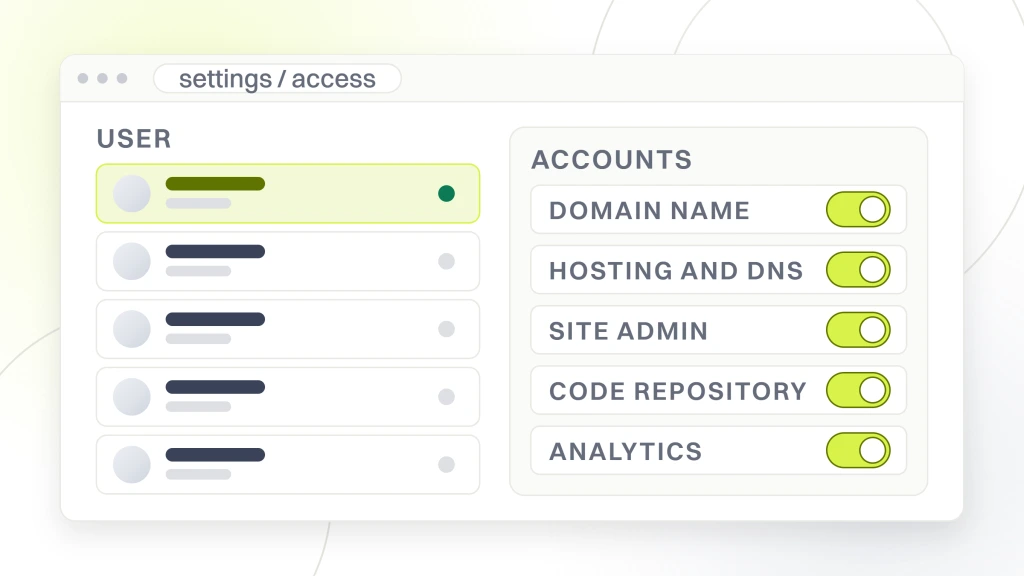
- The domain registrar, where the name is bought and renewed
- DNS, which decides where that name points
- Hosting, where the files and the database actually sit
- The site admin, meaning the CMS account that can add and remove users
- The code repository, where the build history lives
- Analytics and Search Console, which hold your history rather than your site
- Advertising accounts and the business profile, including Google Ads and the tag container
- Design files and content, meaning the source artwork, the photography license and the copy
Nothing on that list is exotic and none of it is expensive to get right at the start. All of it is expensive to fix at the end, which is the entire reason it goes wrong. Each one also fails on its own, so holding seven of the eight is not seven eighths of ownership. It is one missing login away from exactly the same problem, and which login is missing decides whether the next month is an afternoon of admin or a legal bill.
Your domain name, the single point of failure
If you only fix one item, fix this one. The domain is the address for your website and usually for your email as well, which means losing control of it takes out the phones in a way that losing a website never does. A site you cannot edit is embarrassing. A domain you cannot renew is an outage that reaches every customer and every supplier at once.
The rule is simple and almost never followed. Buy the domain yourself, in a registrar account owned by your business, paid on a company card, with the contact address set to a mailbox more than one person can open. Then invite the agency in. Do not let anybody buy it on your behalf as a line item on a build invoice, however convenient that sounds during week one.
A good builder will not argue. The ones who do argue tend to describe it as simpler if we manage it, which is true, and simpler for whom is the question that follows. If the domain is already registered to somebody else, ask for the transfer process in writing with a date attached, and understand that registrars enforce their own waiting periods on transfers, so this is not something to start the week you are leaving.
Hosting and DNS, which get confused until it costs you
These are two different things and they fail differently. DNS is the lookup layer that turns your domain into an address on a server. Hosting is the server. An agency can hand over hosting completely and still control DNS, at which point they can still point your name anywhere they like, and you would be surprised how often that is the actual state of affairs behind a clean handover.
Ask which account manages DNS and get named access to it. Ask the same about the hosting plan, and ask specifically whose payment card is on it. A hosting plan billed to the agency and rebilled to you is a plan you cannot keep if the relationship ends badly, no matter how the invoice is labeled.
The reasonable middle ground exists and is worth knowing. Plenty of firms run hosting as a managed service and that is a legitimate product, not a trap, as long as the account is in your name and they hold access rather than ownership. Our own website maintenance work is structured that way, and if you are weighing what that kind of retainer is worth, the separate piece on website maintenance cost goes through what a cheap plan tends to leave out.
Site admin and the code repository
This is where the phrase you own the site quietly breaks. In a content management system, an administrator account is the one that can create and remove other administrators. If your login is an editor account and theirs is the administrator, you can change the words on a page and they can change who is allowed in the building. Those are not the same thing and the difference only becomes visible when you try to remove somebody.
The repository is the other half. On a custom build the code has a history, and that history is where the build instructions, the deployment configuration and every previous fix actually live. A zip file of the current site is not the repository.
Ask for the repository to sit under your organization account, not theirs, with the agency added as a collaborator. That is the arrangement we publish on our own custom web development page, which states that every commit lands in your repository, not ours, and that every rollback stays under your control. Whether a build is on a platform or written from scratch changes the shape of this, and the piece on WordPress against a custom build works through which one your situation calls for.
Analytics, Search Console and the tag container
These hold something the site itself does not, which is history. A rebuilt site starts from nothing. Four years of traffic data, search queries and conversion history cannot be recreated, and if that property was created inside an agency account you may lose the lot in one afternoon. This is the quietest of the eight failures and the only one that is genuinely irreversible.
Create the analytics property, the Search Console property and the tag container under a company account first, then grant the agency access at the level they need. The same applies to your business profile listing. Access is easy to give and easy to withdraw. Ownership is neither, which is why it should start in the right place.
If your relationship with the agency also covers search work rather than just the build, the reporting and deliverable side of ownership sits in a different article. Our guide to how to choose an SEO agency covers contracts, notice periods and who owns the reports, the content and the strategy you paid for. This page deliberately stays on the asset and the accounts.
Getting a Google Ads account back from a former agency
This one deserves its own section because the usual advice is wrong. Searching for it mostly returns articles about reinstating a suspended account, which is a completely different problem. If your account is fine and you simply cannot get into it, the real answer is short.
Start with the structure. Agencies usually run client accounts underneath a manager account. Google’s own help documentation is explicit that this link is not the same as ownership, stating that “Linking a manager account doesn’t automatically grant administrative ownership.” Your account can be linked to their manager account while the administrative user on the account itself is still someone at your company, or someone who left it three years ago.
Google documents five access levels for manager account users. Administrative, Standard, Read only, Email only and Billing. Administrative is the one that matters, because it is the level that can add and remove other administrators. Everything else is permission to work, not permission to control.
So the practical sequence is this. Find your customer ID, which Google describes as “a unique number used to identify your Google Ads account” and advises you to have ready when you contact support. Check whether anyone at your company still holds administrative access, including former staff whose mailboxes you control. If somebody does, they can add you and then unlink the agency. If nobody does, Google’s documentation points at the remaining route, noting that “If you’ve lost all administrative access, you may need to contact an existing administrator or submit an account access request to regain control.”
Two practical notes. Do not rebuild the campaigns in a fresh account as a shortcut, because the account history is what the bidding system learned from and starting again throws it away. And if you are hiring replacement help, ask the next firm whose name the account will be in before you ask anything about strategy. That is the first question we would expect before any conversation about PPC campaign management itself.
Design files and content, remembered too late
The exported images on your site are not the design. The design is the source file, with its layers, its type styles and its components, and it is the difference between a new team continuing your brand and a new team approximating it. Ask for source files by name in the scope document, not as a courtesy at the end.
Photography and fonts are the trap inside the trap. A stock image or a typeface can be bought under the agency’s account rather than yours, and the license terms, not the invoice, decide whether it transfers. Ask who each paid asset’s license is issued to, and ask to see the license itself. This is a boring question that costs nothing to ask during a build and can mean replacing your entire visual identity later.
Content is the easiest of the three to secure and the most commonly left vague. Assigning copy and images to you on final payment is a fair arrangement. Anything that keeps them assigned permanently to the builder is worth querying before you sign, and querying it with a lawyer rather than with us.
What to ask for before you sign anything
Turn the eight items into eight questions and ask them on the first call, before scope and before price. The answers tell you more about a firm than any portfolio, because a builder who has thought about the ending has usually thought about everything else too.
- Whose name is on the registrar account, and can I buy the domain myself
- Which account controls DNS, and will I have named access to it
- Whose card pays for hosting
- Will my login be an administrator, and can I remove your users myself
- Will the repository live under my organization from the first commit
- Will analytics, Search Console and the tag container be created under my account
- Who will the advertising accounts and the business profile belong to
- What exactly is in the handover pack, and can I see the list now
Ask the eighth one twice. A handover pack that exists as a written list before the project starts is a real deliverable. A handover pack described as something we always do is a description of a habit, and habits do not survive a bad breakup. The same instinct applies when you are choosing a web design and development company more generally, where the questions about the ending are the ones that separate the shortlist.
How to check what you hold without asking anyone
If you are already mid-relationship, you do not need to start an awkward conversation to find out where you stand. Most of this is checkable from your own desk in under an hour, and doing it quietly first means you walk into the conversation knowing the answers.
Try to log in to the registrar with a company email address and use the password reset if you have never signed in. Do the same at the host. Log in to the CMS and open the users screen, which will tell you your own role and everybody else’s in one glance. Open analytics and look at who is listed with administrator rights. Search your own email archive for the words invitation, welcome, receipt and renewal, because the account that pays for something is the account that gets the receipts, and receipts are the most honest record of ownership you have.
When you find a gap, and you probably will find at least one, treat it as an administrative fix rather than an accusation. Most of these arise from a rushed setup years ago rather than from anybody’s plan. The conversation goes much better framed as moving the account into our name for continuity than as a demand, and it gets you the same result.
What to do in the week you give notice
Order matters here, and the order is not obvious. Do not remove the agency’s access first. Confirm your own access first, to every one of the eight, and only then start removing anything. Locking out the only party who can fix a broken deployment is a bad first move, and it happens constantly.
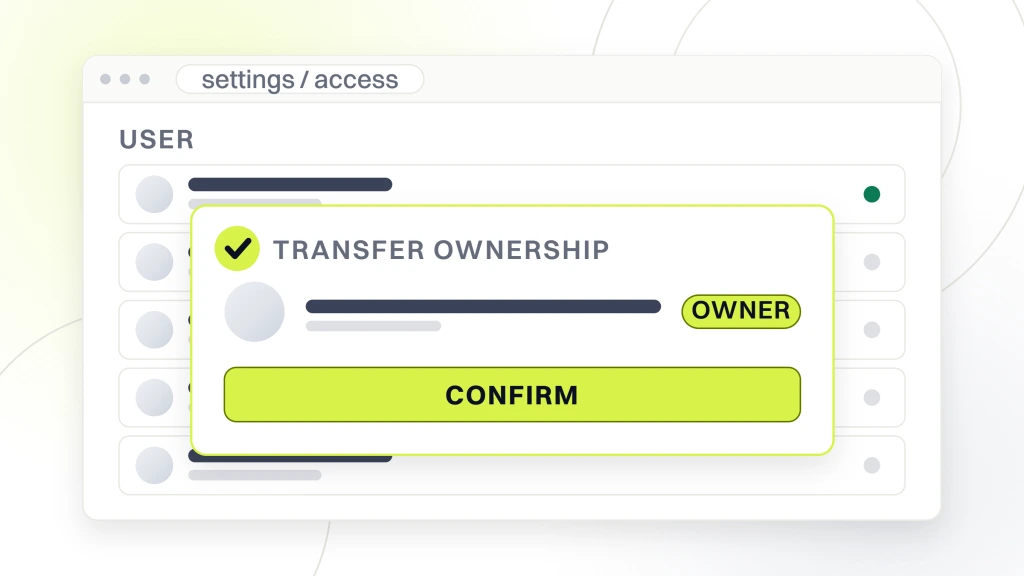
Take a full backup of files and database yourself, from your own host account, and keep a copy somewhere the agency cannot reach. Export the analytics history you care about rather than assuming the property survives. Ask for the handover pack in writing with a date, and ask for a short call with whoever actually did the work, because the deployment steps that live in one engineer’s head are the part no document ever fully captures.
Then change the passwords and remove the users, in that order, once you have confirmed everything works. If a rebuild is what comes next rather than a straight handover, the question of whether you need one at all is worth settling separately, and the guide on when to redesign your website is honest about the cases where the answer is no.
Score us against the same list
An article like this is only worth reading if the people who wrote it will be measured by it. So here is what we publish about ourselves, where anybody can read it.
Our web design and development page names the failure state as a buyer’s problem in plain words, calling it “No repo access, no admin credentials, no way to hire the next team”, and answers its own ownership question by stating that the repo, the CMS admin and the hosting go under your name from week one, with hosting billed to your card rather than passed through with a markup. The custom web development page carries the same claim from the code side, promising custom code in your git from day one with full ownership. The handover is described as a single pack containing the CMS login, the deployment runbook, repo access, design files and integration credentials. Our WordPress development work follows the same arrangement.
We are not asking for credit for saying that. It is the minimum, and the reason it is written here is so you can check it rather than trust it. Ask us the eight questions. Ask the next three firms on your list the same eight. Anyone who answers all eight cleanly has earned a conversation about the work, and anyone who gets vague on more than one has answered the more important question already.
The honest summary of who owns your website when an agency builds it is that ownership is not something you are granted at the end. It is a set of eight small decisions made in the first two weeks of a project, each costing nothing at the time and together deciding whether leaving is admin or a negotiation. Make them early, write them down, and the question never has to be asked in anger.