
Real estate website design best practices are the 15 UX rules that separate a broker site pulling 4% buyer conversion from a stock template stuck at 0.4%. Seller valuation forms move from 0.8% to 8%, mobile bounce falls from 76 to 42, and hero-block CTAs stop competing with sliders and autoplay video. Every fix traces back to live Redefine Web client accounts plus the Core Web performance thresholds Google publishes.
You will get the hero-block anatomy that carries most of the conversion weight, the IDX search pattern buyers actually finish on a phone, the testimonial format that reads as a real client instead of a stock pull quote, the 5 trust cues buyers scan inside 4 seconds, and the mobile behavior every responsive site has to nail before launch. Pull up your current URL, open a Chrome Lighthouse tab, and score each fix against what your site does today. In short, this is a working audit, not a design theory primer.
The hero block anatomy inside real estate website design best practices
The hero block carries 40 to 60 percent of the total site conversion, since it is the only screen every visitor sees. The winning pattern locks in one primary CTA, one supporting sentence, one trust cue, and one photo of a real property or neighborhood. Two buttons in the hero drop primary clicks 20 percent each. Autoplay video with sound loses 25 to 35 percent of mobile visitors before the first frame renders.

The hero copy pattern that works reads city plus segment plus outcome. “Austin luxury home buyers, book a private tour in 24 hours.” “Denver first-time buyers, get pre-approved and touring inside 5 days.” Generic “find your dream home” copy is what a template writes. Miss the specifics and the visitor bounces back to Zillow before you get a chance to compete.
The hero photo matters as much as the copy. Real neighborhood shots convert 10 to 20 percent higher than stock cityscapes and 30 to 45 percent higher than agent portraits. Buyers want the streets they might live on, not your headshot. Shoot 6 to 12 real neighborhood photos at launch and rotate the hero seasonally.
IDX search patterns for website design best practices for real estate agents
IDX search is where most real estate sites lose the buyer. A 12-field advanced search form above the fold buries the primary CTA, slows first paint to 4-plus seconds, and asks the buyer to type before you have earned any trust. The winning IDX pattern strips visible search to 3 fields. Price band. Neighborhood or zip. Bedroom count. Every additional field drops search-submit rate 8 to 15 percent.
The IDX vendor decision drives the technical ceiling. Realtyna, Showcase IDX, and iHomefinder render inside 2.5 seconds on mobile at default configuration. Framed iframe IDX from older vendors renders in 5 to 8 seconds and torches the Largest Contentful Paint score. Pick the IDX vendor before the wireframe, not after.
Property card design inside the IDX result set decides the tour-request rate. Lock cards at 4:3 aspect on desktop, 16:9 on mobile, with price, bed count, bath count, and square footage visible without hover. Full-width photo on top. Address and neighborhood on the second line. One primary action button on the third line, either “schedule tour” or “save listing.” Two buttons on a card cut click-through 15 to 25 percent. See Google’s mobile site guide for the click-target and layout rules.
5 above-the-fold trust cues buyers scan in 4 seconds
Buyers scan for 5 specific trust cues inside 4 seconds. Miss any single one and conversion drops 10 to 20 percent per missing cue. First, named testimonials with a client photo, city, and a transaction detail. Second, a transaction-count credibility line with a real number and a neighborhood. Third, press mentions from named publications with visible logos. Fourth, professional designations spelled out with credential context. Fifth, a Google review count of 50-plus reviews at 4.8 stars or higher.
Named testimonials outperform anonymous quotes 3 to 4 times on tour-request rate. “Jennifer M., first-time buyer, Wicker Park” reads as a real client. “A satisfied customer” reads as a template. The winning testimonial format requires full names, city or neighborhood, and one specific transaction detail on every quote above the fold. Buyers scan for the same signals Google’s E-E-A-T guidance rewards, which means your trust cues double as SEO signals for the search algorithm.
Transaction-count lines land better with a neighborhood and a year. “$180M sold across Lincoln Park since 2019” beats “top producer.” Press mentions need real logos, not a text list. Professional designations need 1-sentence context, since most buyers do not know what CRS or GRI stands for. Two strong cues beat 5 weak ones.
Real estate agent website design best practices for lead forms
Lead form design decides the ratio of site visits to booked consults, and one rule governs the whole surface. Minimum fields. Every extra field drops completion 8 to 15 percent. 3 fields (name, phone, timeframe) hit target on buyer forms. 4 fields (name, phone, address, timeframe) hit target on seller valuation forms. Anything beyond that trades form volume for perceived qualification you can gather on the phone instead.
Form placement matters as much as form length. Best practices put a form on every page above the fold on mobile, inside a scroll-safe container that stays visible as the buyer scrolls. Homepage forms sit in the hero or immediately after. Neighborhood page forms sit inside the neighborhood description block. Listing page forms sit inside the schedule-a-tour CTA sticky bar. Contact page forms sit above the fold with agent photo and phone number visible in parallel.
Speed of follow-up matters more than form design once the lead lands. Leads that get a personalized response inside 5 minutes convert to booked consults at 55 to 65 percent. Leads that wait 60 minutes convert at 25 to 35 percent. Leads that wait 24 hours convert at 8 to 15 percent. Every real estate design brief should include CRM auto-response setup as a launch-week deliverable, not a post-launch task.
Callback options work well on real estate forms. Adding a “call me back in 15 minutes” checkbox grows form completion 5 to 10 percent. Better still, a Calendly or Chili Piper time widget skips phone tag entirely and turns a form submit into a booked consult on the agent’s calendar.
Responsive web design practices for real estate agent websites
Responsive real estate website design is not a shrunk-down desktop layout squeezed onto a phone. Every hero, every IDX block, every form has to work at 375 pixels with one thumb before it earns a desktop breakpoint. Responsive web design practices for real estate agent websites treat mobile as the primary canvas and scale up from there, not the reverse.
Mobile-specific patterns to spec. Sticky bottom bar with phone number and “book consult” button, visible on scroll. Search block collapsible to a single price-band or neighborhood pill on mobile. Photo galleries swipeable, not clickable. Forms that use native iOS and Android autofill, not custom autocomplete. Each of these decisions moves mobile conversion rate 10 to 25 percent per fix on a real estate site.
Touch-target rules matter more on a real estate site than on most content sites. Property card links under 44 pixel click height get misclicked all day on mobile. Best practices lock property cards at 60 to 80 pixel click height, keep buttons above 48 pixels, and never rely on hover states for anything critical. On a listing page, the primary action (schedule a tour, save the listing) needs a full-width sticky footer bar on mobile, not a small floating button.
Responsive breakpoints for a real estate site. Mobile 375 to 767 pixels, tablet 768 to 1023, desktop 1024 to 1439, large desktop 1440-plus. Property card grids run one-up on mobile, two-up on tablet, three-up on desktop, four-up on large desktop. Search blocks run stacked on mobile and inline on desktop.
Real estate website design best practices on the listing page
The listing page is where a buyer decides whether to book a tour or bounce back to Zillow. Every block on the page either speeds the tour request along or slows it down. Listing page priorities start with photo count, and the baseline is 25 to 50 wide-angle, professionally shot images with descriptive alt text for accessibility and image search.
Photo count matters more than most agents realize. Listings with fewer than 15 photos see 30 to 40 percent lower tour-request rates than listings with 25-plus photos. Listings with a virtual tour or 3D walkthrough see another 15 to 25 percent gain. Redfin listing data has shown for years that photo count and virtual tour presence are the two strongest predictors of on-market inquiry volume, and the pattern holds on agent and team sites the same way it holds on portal listings.
The listing page copy blocks that matter. A 3 to 5 sentence description at the top written in a human voice, not MLS boilerplate. A key facts block (beds, baths, sqft, lot size, taxes). Schools with GreatSchools ratings if the state allows it. A walkability score. A “schedule a tour” CTA locked to the sticky footer bar. Copy that names the neighborhood, the school district, and one specific feature reads as an agent who walked the house in person.
Structured data on the listing page feeds Google’s rich results. Every listing needs schema.org markup for RealEstateListing or Product type, with price, address, and photo array. Reference Google’s Product structured data guide for the markup schema, then bake it into the listing template so every new listing inherits the markup on publish.
Real estate website design flaws vs best practices comparison
Real estate website design flaws cluster in the same 8 places on almost every underperforming broker site. The table below pairs each flaw with the best practice fix and the conversion impact each fix carries.
| Design flaw | Best practice fix | Conversion impact |
|---|---|---|
| Hero slider with 4 rotating photos | Single static hero with real property photo | +15 to 25% |
| 12-field IDX search form | 3-field compact search (price, neighborhood, beds) | +30 to 45% |
| Stock photography homepage | Real neighborhood photos from local shoot | +10 to 20% |
| Anonymous “great agent” testimonials | Named client with photo, city, transaction | +8 to 15% |
| Autoplay video with sound | Silent hero video or single photo | +20 to 35% |
| Mobile as afterthought | Mobile-first responsive design | +25 to 40% |
| No CRM auto-response | 5-minute personalized reply from live agent | +30 to 50% |
| No listing schema markup | RealEstateListing schema on every listing | +10 to 15% |
Every real estate agent website design flaw in the table compounds. A site with 3 or 4 of the flaws converts at 0.4 to 0.8 percent. A site with 6 or more converts below 0.3 percent, which is why some agents complain that “my website doesn’t work.” The website works fine. The design flaws are what fail. Fix them one at a time, in the order the conversion-impact column suggests, and each fix pays for itself inside 60 days on typical traffic volume.
Best practices for real estate website design address speed as a conversion factor, not just a ranking factor. A homepage that loads in 5 seconds on mobile loses 40 to 60 percent of paid traffic before the page even renders. Compress images to WebP under 100KB each, defer non-critical JavaScript, and inline critical CSS. Speed audits at launch and at the 6-month mark catch drift before it becomes a bounce problem.
Named client cases behind the design rules
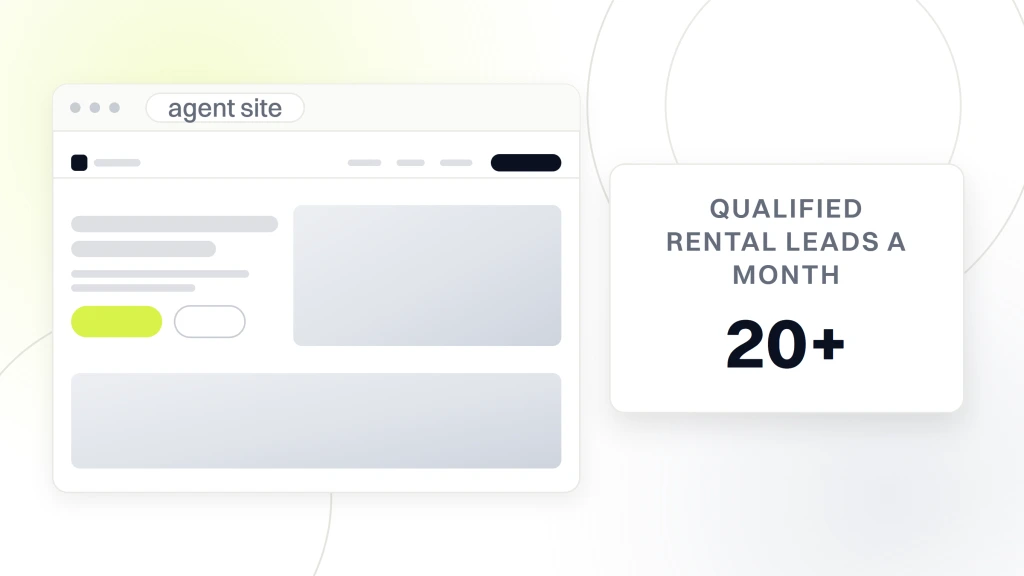
Abels Residential, a Redefine Web client running a new London lettings agency, briefed us for a conversion-focused build plus SEO from day one. Inside the first 90 days the site pulled 20-plus qualified rental leads per month, ranked 300-plus keywords on page 1 of Google, and held a sub-2-second fully loaded page speed across every template on real Android hardware. Every design decision flowed from a segment brief written before the wireframes started, which is why the site launched hitting the conversion targets rather than trying to reach them post-launch.
McCarthy Court, a 7-unit luxury Sidcup development, ran the same discipline on the pre-construction side. The site sold out 100 percent in 3 months pre-completion via an immersive virtual showcase site. 60-plus qualified buyer leads, 10K targeted campaign visits, and full eco-conscious plus lifestyle storytelling across every listing template. Every design decision fed the buyer journey from local amenity narrative to lead capture, and the design brief prioritized pre-construction trust cues (renderings, spec sheets, eco features) over portal-style search that would have diluted the brand.
Both builds followed the rules in this guide. Single primary CTA above the fold. Compact 3-field property search. Real neighborhood photos, not stock. Named testimonials with real client photos. Structured data across every listing. Mobile-first responsive design tested on real Android hardware before launch. Abels Residential and McCarthy Court launched hitting the numbers instead of chasing them.
Analytics and iteration for a real estate website that keeps improving
The analytics install belongs at launch, not tacked on 3 months later. Google Analytics 4 plus Microsoft Clarity heatmaps plus CallRail runs about $40 per month combined and gives the design team the raw data every iteration cycle depends on. Skip it and the next redesign runs on opinion instead of evidence, which almost always underperforms the current site.
The 3 GA4 events every real estate site should track from day one. Form submit with a lead-source parameter. Phone click (mobile only) with a click-source parameter. Scroll depth at 25, 50, 75, and 100 percent. Those 3 events tell you which pages produce leads, which pages get scrolled past the fold, and which pages get bounced. Every design decision after launch flows from those 3 metrics.
Microsoft Clarity heatmaps show where buyers hover, click, and scroll on real listings. Clarity is free and installs in 5 minutes with a single script tag. Every review cycle should watch 10 to 15 Clarity session recordings per month to catch UX issues the analytics dashboard misses. Real recordings of real buyers on the site is the fastest way to catch confusion before it costs a booked consult.
Iteration cadence. Monthly analytics review, quarterly A/B test, annual design refresh on any page under target conversion. Best projects treat the launch as the start of iteration, not the end of the engagement.
Real estate website design pricing tiers in 2026
Pricing splits into 4 clean tiers in 2026. Foundation SMB at $2,500 upfront covers a 6 to 12 page agent site with a compact IDX plugin, a lead form, and mobile-first responsive layout. Growth SMB at $4,500 upfront adds neighborhood pages, saved-search flows, and structured data on every listing. Authority SMB at $7,500 upfront adds branded photography, custom listing templates, and CRM integration. Custom builds for teams and brokerages with 60 to 120 pages, custom IDX integration, and neighborhood pillar content start at $18,000.
Monthly maintenance runs $199 to $499 depending on scope, and includes hosting, security patching, IDX vendor updates, Google Business Profile syncs, and monthly analytics reports. Match the tier to the keyword pool and the metro footprint, not to the vendor’s biggest package. A solo agent on a custom build burns cash on scope they will not need for 3 years.
What to audit this week on your real estate website design
3 actions to finish by Friday. Open your homepage on a 2-year-old iPhone SE and time how long the hero takes to paint. Screenshot the first fold and count how many CTAs are fighting for the same click. Run a Lighthouse audit and write down the LCP score in seconds.
Those 3 inputs shape the entire iteration brief. The pre-brief audit carries more weight than the redesign that follows it. Run the audit first, then decide whether the fix is a targeted refactor or a full rebuild from the wireframes up.
For teams that want the audit plus the fixes handled together, our Real Estate Website Design Services team runs the audit, wireframes the fixes, and rebuilds the site across one 8 to 12 week engagement. For teams pairing design with paid coverage, our Real Estate Marketing Agency for Brokerages handles both under one working session. For the underlying build process, see Responsive Web Design Services that Convert. For WordPress-specific real estate builds we run WordPress Website Development Services across the same working session.