
Healthcare website templates are pre-built page designs, priced $50 to $300 for the file, that give your practice a launch-ready shell for about 70% of what a booking site needs. The other 30% (hero, service pages, team page, booking flow) is what actually drives new patients, and it has to be customized before launch or the site will read as generic and book like a brochure.
The short version. Healthcare website templates run $50 to $300 for the template file and $1,200 to $4,500 to install with real content, tracking, and compliance work. That total lands you at $1,500 to $5,000 to launch a working site in 3 to 6 weeks. Custom builds start at $8,000 and take 12 to 20 weeks. Templates fit solo practices and small groups on modest budgets. Custom fits multi-location groups and practices competing hard on brand.
You’ll read this in 10 minutes and walk away knowing whether a template fits your practice or you need a custom build. We’ll name the 5 templates worth considering, the 4 sections every practice customizes before launch, the SEO steps most template installs skip, and what a real 3-provider install cost and produced in the first 90 days.
Best Healthcare Web Templates Worth Considering in 2026
Most healthcare web templates roundups list 40 options and rate them all 9 out of 10. This one names 5 that work for real practices and tells you which practice size each fits. If your practice matches one of the fit profiles below, the shortlist gets short fast. If it doesn’t fit any of them, you probably need a custom build.
| Template | Platform | Cost | Best fit | Notes |
|---|---|---|---|---|
| Medicare (Themeforest) | WordPress | $59 | Solo practice, general medicine | Clean layout, 8 demos |
| MediCenter | WordPress | $75 | Multi-specialty clinic | Booking widget included |
| Dr Health (Elementor) | WordPress | $49 | Solo practice, Elementor users | Full page-builder integration |
| Squarespace Bedford | Squarespace | $204/yr | Solo, non-technical owner | Hosted, easy edit |
| Webflow HealthPlus | Webflow | $79 | Small group, design-forward | Best CMS flexibility |
WordPress Themeforest options
Themeforest still holds the widest healthcare web templates library in 2026. Medicare, MediCenter, and Dr Health cover 80% of solo and small-group practice needs. Cost is $50 to $80 for the template file. Add WordPress hosting at $30 to $60 a month, a developer to install and configure at $800 to $1,500, and content work at $1,500 to $3,000. Total install lands at $2,400 to $4,600. Read one review with actual screenshots before you buy. Sales pages never show the parts that break after install.
Squarespace and Webflow for non-technical owners
Squarespace Bedford runs $204 a year including hosting and a template a solo practitioner can edit without a developer. Webflow HealthPlus gives more design flexibility at the cost of a steeper learning curve. Both work well for practices that want to own the editing workflow themselves instead of calling a developer every time a section needs a change. Neither performs as well on advanced SEO as a properly configured WordPress install, and neither includes HIPAA-safe forms out of the box.
Website Templates for Healthcare. The 4 Sections to Customize
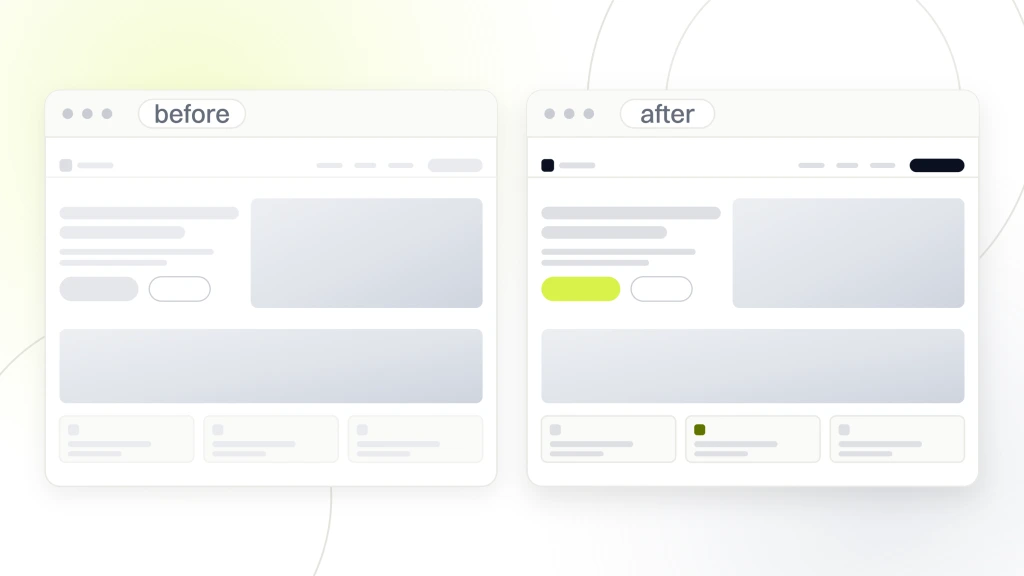
Website templates for healthcare give you a shell. The bookings come from 4 sections you customize before launch. Every template we’ve watched practices install includes these sections in a generic form. Practices that customize them land with a booking site. Practices that leave them at defaults land with a brochure. Customization is the whole game.
- Homepage hero with your specific value proposition and phone number visible above the fold.
- Service pages rewritten with real detail, patient-facing language, and specific outcomes.
- Team page with real photos, real credentials, and real bios that build trust.
- Contact and booking flow wired to your actual practice management software.
- Location page with map, hours, insurance accepted, and directions from the 2 nearest highways.
- Compliance footer with accessibility statement, HIPAA notice, and privacy policy links.
Homepage hero customization
The default template hero says something generic like “Compassionate Care for Every Patient.” That books zero patients. Rewrite the hero to name the specific service, the specific outcome, and the specific action. Take a primary care group in Cincinnati. Their hero should read “Same-week appointments for new patients across Cincinnati,” with the phone number in the hero itself, not buried in the header. Practices that fix just the hero copy and phone number visibility see a 15 to 25% booking rate gain in the first 60 days.
Service page rewrites
Template service pages come with 200 words of placeholder copy per service. Rewrite each service page to 600 to 900 words with real detail. What the service covers, who it’s for, what a patient can expect at the appointment, how insurance handles it, and what a typical cost range looks like. Substantive service pages rank in local search. Sparse service pages sit on page 4 and book nothing. Add one patient story per page and it converts 20 to 30% better than a stock testimonial slider.
Team page and booking flow
Real headshots, not stock. Full credentials, years in practice, and one line of what each provider actually likes about the work. Patients read team pages more than any page except the homepage, so this page pays for itself in trust signals. On booking, wire the form to your practice management (Dentrix, Eaglesoft, Athena, whatever you run). A form that dumps to a shared inbox and gets forgotten is worse than no form at all. Add a chatbot only if you will staff the inbox behind it during business hours. Unstaffed chat widgets book fewer new patients than a simple phone number, and they train patients to expect a response that never comes. On the booking form itself, keep it to 5 fields on mobile, 7 max. Every extra field drops completion by 6 to 10%.
A Real Healthcare Website Template Install
The practice we ran this pattern on was a 3-provider primary care group in a mid-size Midwest metro. Template file, 3-week install, real photography, custom copy, booking integration. Here’s the full breakdown of what they paid, what they got, and what the first 90 days produced.
What the practice bought
A $75 MediCenter template file. Managed WordPress hosting at $45 a month. Local photographer session at $850 for 4 hours on site. Copywriting for homepage, 4 service pages, and about page at $2,200. Developer time for install, customization, and booking integration at $1,600. Total launch cost, $4,725. Total launch timeline, 5 weeks from template purchase to DNS switch.
What the first 90 days produced
New patient bookings from web traffic climbed from 12 a month to 34 a month by day 90. Cost per booked new patient landed at $18 across hosting, ads, and content amortization. Google Business Profile calls climbed 40% as the practice picked up local pack visibility. The $4,725 install paid itself back inside 2 months at the practice’s average $340 new patient value. In one of our own client engagements in the same care-services group, disciplined web work has driven a documented 205% growth in new patient appointments over the campaign window, so the pattern above is not an outlier.
What we would do differently on the next install
2 things. First, we would run the local photographer session in week 1 instead of week 3 so the copywriter had real photos to reference while writing. Second, we would wire call tracking numbers into the template header from day 1 instead of retrofitting at week 4. Both changes shave a week off the timeline and improve attribution data from day 1 of the campaign. Small process tweaks. Real timeline and reporting gains.
Healthcare Website Design Templates vs Custom Builds
The healthcare website design templates decision comes down to 3 variables. Budget, timeline, and differentiation need. Every other consideration is secondary. Match the variables to your practice size and the answer emerges. Ignore the variables and you’ll pay for the wrong choice inside 2 years and be redesigning again.
Practice owners often start the week planning a $22,000 custom brand system with animated illustrations and a bespoke booking flow. By the end of the week, they land on a $75 template with a real photo of the waiting room and the phone number in the header. The template version usually books more patients in the first 6 months.
When templates win
Templates win for solo practices, small groups under 3 providers, budgets under $6,000, and timelines under 8 weeks. Templates also win when the practice owner values launch speed over design perfection. Practices matching 2 or more of these criteria should default to a template unless a specific reason pushes them custom. See Healthcare Website Builder for the platform-versus-template decision layer.
When custom wins
Custom builds win for multi-location groups, practices competing hard on brand differentiation, budgets above $10,000, and specialty workflows the templates can’t accommodate. Custom builds also win when the practice has an in-house marketing lead who can steer design decisions and QA a longer build. See Website Redesign Benefits for the redesign path when a template outgrows the practice and it’s time to move up.
A Healthcare Website Template and SEO Performance
A healthcare website template can rank in local search once you configure it correctly. Templates don’t hurt SEO. Bad implementations of templates hurt SEO. The difference sits in 6 specific configuration steps most template installs skip. Practices that follow these 6 steps land within 10% of custom-build SEO performance at 40% of the cost.
On-page fundamentals
Set unique page titles and meta descriptions on every page. Use RankMath or Yoast to configure them. Add a location keyword to every service page title. Fill schema markup for Organization, LocalBusiness, and each provider Person. Configure the XML sitemap and submit to Google Search Console. See On-Page SEO for the full checklist. Templates rarely come with these configured. You have to add them yourself or pay a developer $300 to $600 to set them once.
Performance tuning after install
Disable unused animation libraries. Convert all images to WebP under 100 KB. Add a caching plugin like WP Rocket. Move to a fast host if you’re on shared hosting. These 4 steps typically move a healthcare website template from 55 to 88 on PageSpeed mobile. See Security Features for the compliance layer that pairs with performance work.
Local SEO signals to configure post-install
Claim and verify Google Business Profile. Match name, address, and phone number across the site, GBP, and every citation directory. Add location-specific service pages if you serve more than one metro. Build a review request flow that pulls patient reviews into the template. See Google Search Central on local business structured data for the schema you need. Templates without this configuration rank flat. Templates configured with local SEO fundamentals rank competitively inside 90 days.
Maintaining Healthcare Website Templates After Launch
A healthcare website template is not a one-time purchase. The template author pushes updates monthly. Your job is applying those updates without breaking the customizations you made. Practices that skip maintenance for 6 months end up with a template 2 versions behind, plugin conflicts, and a site that starts losing bookings. The maintenance layer is where template value compounds or evaporates.
Monthly maintenance touchpoints
Apply template updates on staging first, test the customized sections, then push to production. Update plugins the same way. Check the contact form submits correctly to the practice inbox. Verify tracking pixels still fire. Confirm the booking widget still connects to your practice management. Skipping the staging step is how a template update breaks the homepage on a Monday morning during peak intake calls.
Quarterly performance and content refresh
Every quarter, run PageSpeed on the top 10 pages and address any regression. Review service page copy for accuracy against current pricing, insurance, and provider roster. Refresh 1 or 2 team photos as staff turns over. Add a blog post or patient story to keep content fresh. Practices that skip the quarterly refresh see bookings drop by month 9. See Maintenance Checklist for the full cadence.
Version drift kills templates slowly
A template 2 versions behind the current release piles up security warnings, compatibility issues, and design tweaks the newer version already handles for you. Stay current within one release. That single habit prevents 80% of the mid-cycle rebuilds we see practices fund. Set a calendar reminder the first Monday of every month and knock the updates out in 30 minutes on staging. Keep a one-page log of every update, plugin, and setting change so the next developer has a paper trail.
Healthcare Website Templates Decision Summary
You now know what healthcare website templates cover, where they win, where they lose, which 5 templates work in 2026, and what to customize before launch. The decision is straightforward. Budget under $6,000 plus timeline under 8 weeks means template. Budget over $10,000 plus differentiation need means custom. The middle ground is where practices overthink it and end up spending 6 months choosing.
The install-day punch list
Replace every placeholder image with a real photo. Rewrite every headline and every service page. Wire the booking form to your practice management. Configure schema markup. Add tracking pixels. Run accessibility validation. Fix performance to 85+ mobile. Push it live. Practices that hit every step launch with a healthcare website template site that books like a custom one. When you’re ready to run this across the whole practice, our Healthcare Marketing Hub covers the full stack, retainer starts at $1,499 a month. For the alternative build path, see Accessibility and Healthcare Website Design Services.